2 reviews for Economy Bundle with Carb Heat Throttle Quadrant
| 5 star | 100% | |
| 4 star | 0% | |
| 3 star | 0% | |
| 2 star | 0% | |
| 1 star | 0% |
Customer Images


Economy Bundle with Carb Heat Throttle Quadrant
This is a demo store for testing purposes — no orders shall be fulfilled. Dismiss
Skip to content$1,339.70
Take Off with Confidence with the Carb Heat Economy Bundle
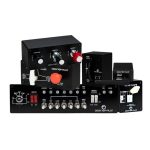
Ready to start your flight simulator journey without breaking the bank? The Carb Heat Economy Bundle by Desktop Pilot is the ultimate starter package for aspiring pilots and flight sim enthusiasts on a budget. Whether you’re just diving into flight training or setting up your first home simulator, this bundle delivers the essential tools you need for a realistic and immersive experience.
-
What’s Inside:
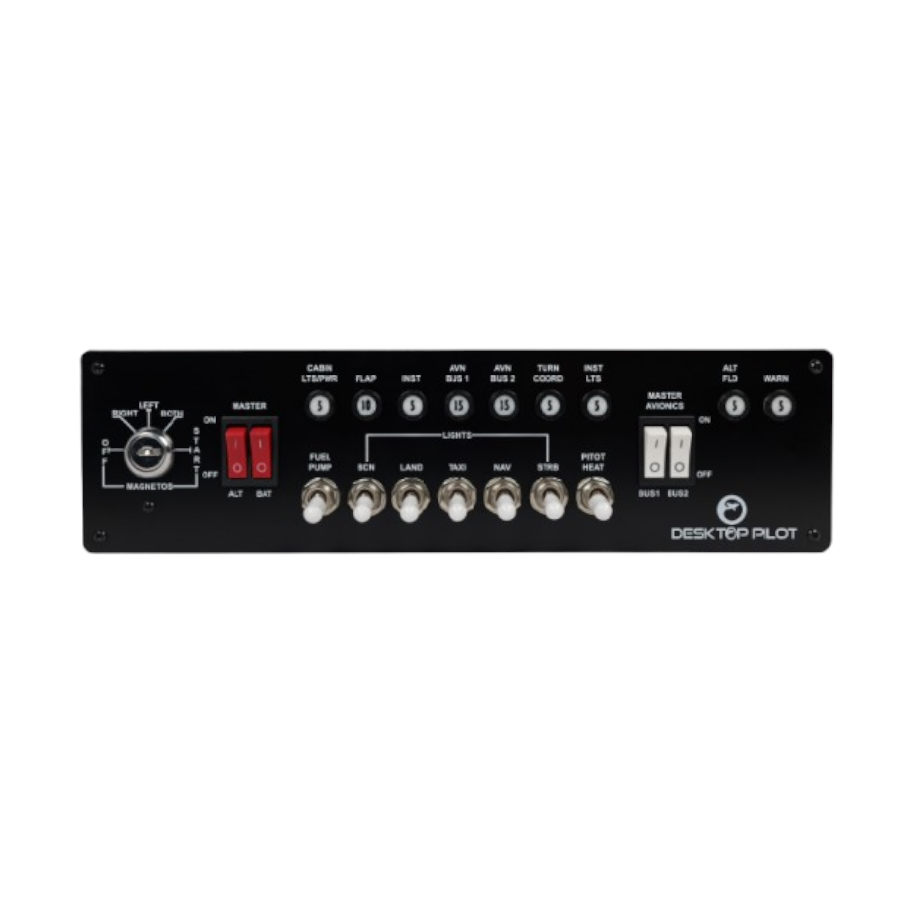
1. Lighted Fuse Ignition Panel
Take full command of your virtual cockpit with a spring-loaded ignition key switch and authentic 5-position magneto selector (Off, R, L, Both, Start), just like in real aircraft. Perfect for practicing engine start-up, magneto checks, and shutdown procedures.
The panel also features:
Dual rocker switches for master battery/alternator and avionics Bus 1 & 2
7 toggle switches for full system control: fuel pump, pitot heat, beacon, landing, taxi, nav, and strobe lights
Functional circuit breakers for realistic pre-flight routines
2. Slider-Style Throttle Box with Carb Heat
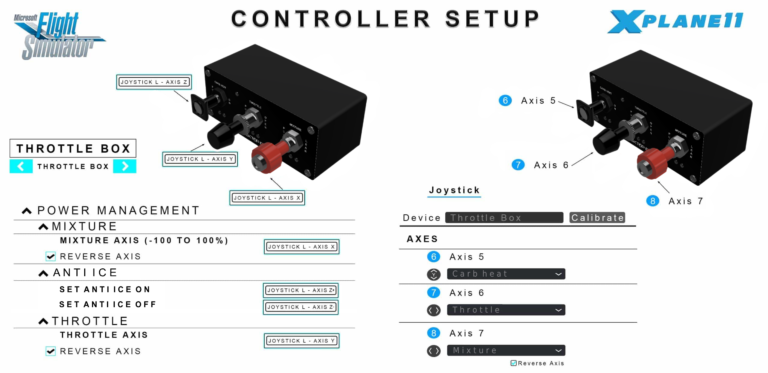
Experience smooth, tactile throttle response with integrated throttle and mixture controls, allowing you to manage fuel levels and mixture for accurate airspeed control.
This version also includes a dedicated carb heat control, ideal for mastering carbureted engine procedures like preventing carburetor icing—an essential skill for student pilots and sim enthusiasts alike.
This Carb Heat Throttle Quadrant is non vernier but does feature upgraded internal mechanisms for smoother controls and enhanced durability, along with a sleek metal faceplate and robust metal external knobs and components.
3. Flaps Panel V2 with Motorized Indicator
Fine-tune your approach and departure with our upgraded V2 Flaps Panel, featuring a realistic four-position flap switch modeled after those found in general aviation aircraft. This switch allows you to set the flaps to Up, 10°, 20°, and 30° (full flaps)—ideal for practicing proper flap extension and retraction during takeoffs, landings, and short-field operations.
What sets the V2 apart is its integrated motorized flap position indicator, which provides real-time visual feedback as you adjust flap settings. Easily monitor flap position at a glance, just like in a real cockpit—a critical tool for managing lift and drag throughout all phases of flight.
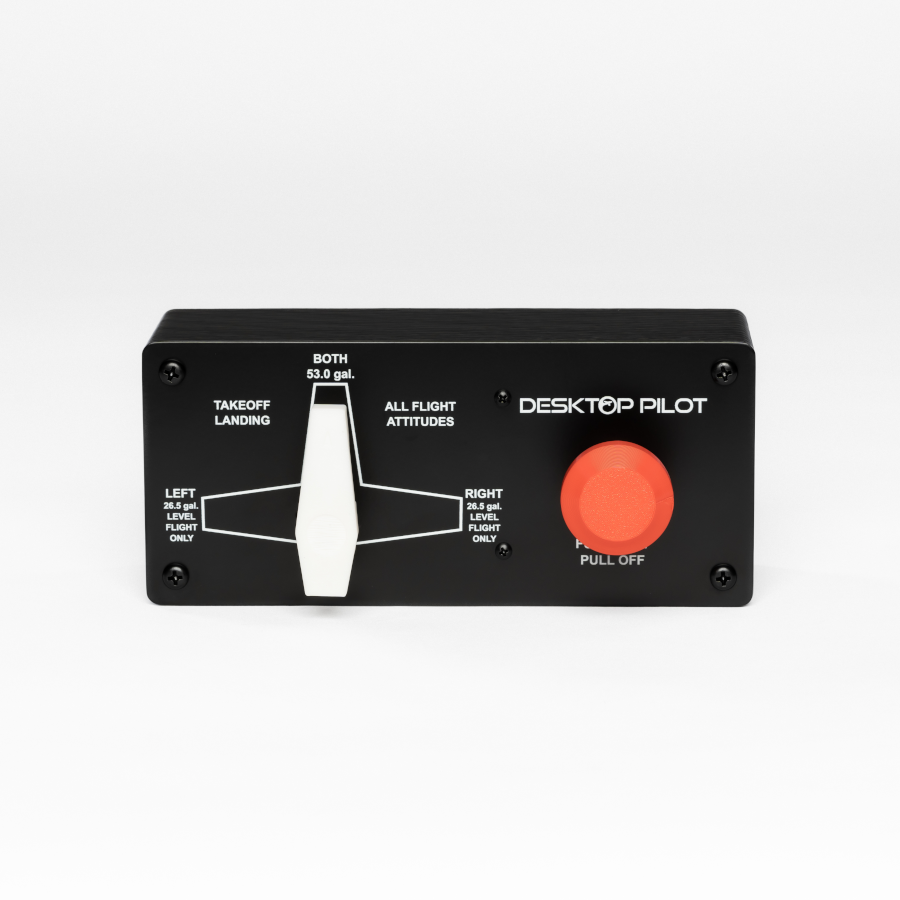
Master real-world fuel management with a rotary selector that allows you to switch between left, right, and both tanks. Also features a fuel cut-off switch—just like in single-engine trainers. Practice fuel balancing techniques, in-flight fuel planning, and learn how to respond to fuel emergencies with realistic cockpit procedures – an essential skill for long-haul or cross-country flying.
5. V2 Trim Wheel with Indicator
Precision Pitch Control with Enhanced Realism
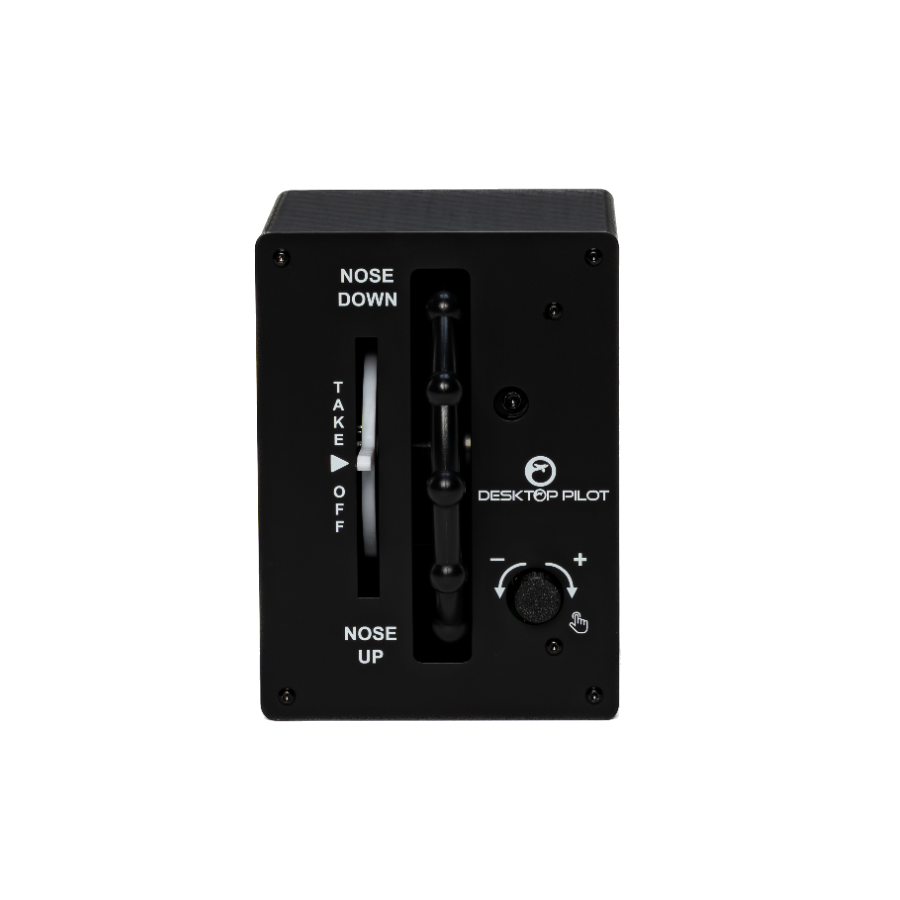
Take pitch control to the next level with our Premium V2 Trim Wheel, engineered for flight sim enthusiasts and student or seasoned pilots alike. This easy-to-grip wheel replicates the tactile feedback of real aircraft trim systems and is ideal for fine-tuning pitch during climbs, descents, and level flight.
The V2 model adds enhanced functionality for a truly immersive experience:
Integrated Motorized Trim Position Indicator – Instantly see your current trim setting for accurate pitch control
Adjustable Sensitivity – Fine-tune how much trim input is applied per rotation to match different aircraft profiles
Adjustable Resistance – Customize the feel and tension of the wheel to replicate light or heavy trim systems
Trim Reset Button – Quickly return to a neutral trim position when needed
Autopilot Compatibility – Works seamlessly with autopilot systems for smooth trim handoff and disengagement
From pattern work to cruise flight, the Trim Wheel V2 gives you the precision and realism your simulator deserves.
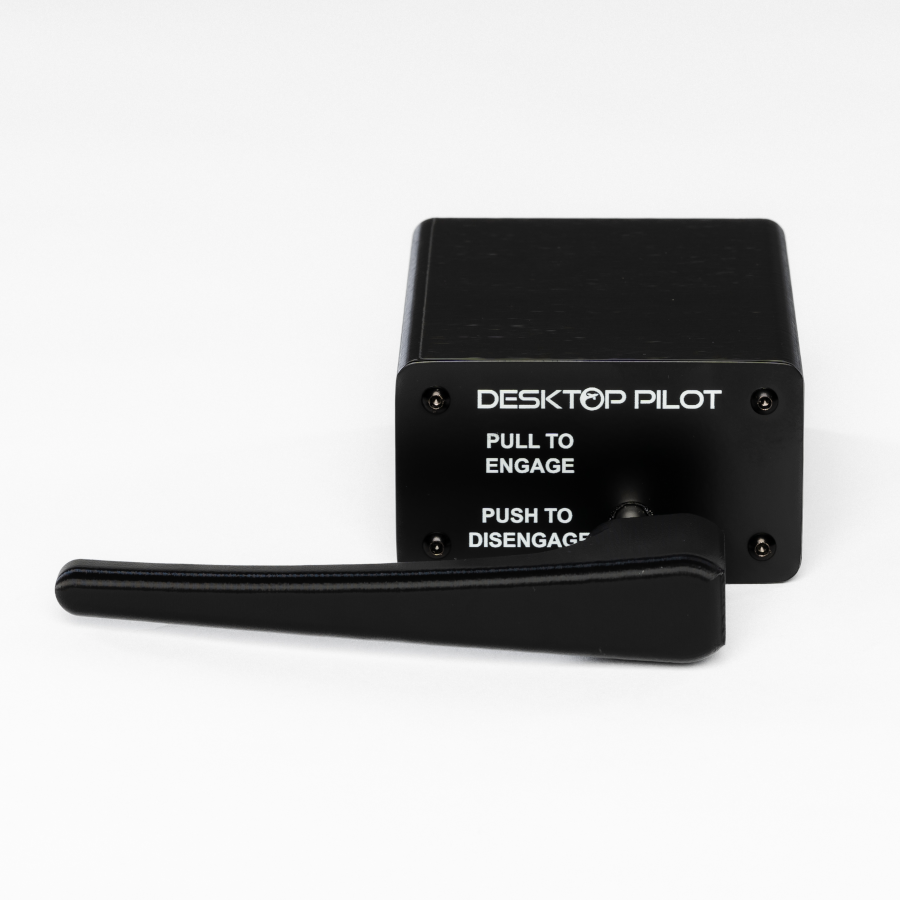
Simulate accurate ramp operations and ground control with a dedicated parking brake lever. Perfect for engine run-ups, taxi procedures, and parking simulations, this control adds realism to every phase of your flight—before takeoff and after landing.
Why Choose This Bundle?
Take the first step toward your pilot’s license or level up your simulator realism today.
Buy now and start flying smarter with Desktop Pilot’s Carb Heat Economy Bundle!
| 5 star | 100 | 100% |
| 4 star | 0% | |
| 3 star | 0% | |
| 2 star | 0% | |
| 1 star | 0% |
Customer Images


Alex
First few days using DesktopPilot controls - love it! I’m happy to provide my feedback and suggestions – for all to have clear picture on whats DeskTopPilot is about! First of all product as it is - takes very needed niche - best price/performance ratio, being affordable - that is very important! Very good promotion too – with many videos on using controls made by DeskTopPilot! Packaging - simply the best (with Tina Turner voice) - it’s absolutely incredible to touch those boxes when open big regular cardboard box - lovely pictures on boxes, flashy finish, high quality and magnets! It’s the boxes you want to receive your Christmas presents in! Same highest mark goes to inside the box packaging - second to none! High quality and that should be that way! Wonderful job on YouTube setup videos - best manual on how to assign controls - flawlessly and painless! 5 stars and one on top of that! Items overall - All items look very good, feels sturdy - 5 stars Ignition panel - all very good, all switches feel as they should, with distinctive click to each switch and button. Handbrake - all works very well, pull and turn to activate, push and turn – to release, great job. Throttle box – exactly what you need with pull/push to recreate realistic operation – helps with immersion and builds muscle memory for when you operate real cockpit controls! Flaps - all works great, I like resistance before each change and indications on face panel. Fuel selector – just as it supposed to be and straight forward recreation of what you’ll find in Cessna 172 and many others. TRIM WHEEL - very good and works as intended, much better action then Honeycomb Bravo, if needed – be sure to adjust sensitivity in control section, having trim wheel helps a lot with handflying! That’s my honest review, I can’t stress enough that having physical controls is a game changer (pun intended), and is a step towards best result in flying your sim. And I want to emphasize - it’s absolutely amazing that Desktoppilot able to provide consumers with high quality, affordable equipment - I myself after all, very happy with my set.

Alex
First few days using DesktopPilot controls - love it! I’m happy to provide my feedback and suggestions – for all to have clear picture on whats DeskTopPilot is about! First of all product as it is - takes very needed niche - best price/performance ratio, being affordable - that is very important! Very good promotion too – with many videos on using controls made by DeskTopPilot! Packaging - simply the best (with Tina Turner voice) - it’s absolutely incredible to touch those boxes when open big regular cardboard box - lovely pictures on boxes, flashy finish, high quality and magnets! It’s the boxes you want to receive your Christmas presents in! Same highest mark goes to inside the box packaging - second to none! High quality and that should be that way! Wonderful job on YouTube setup videos - best manual on how to assign controls - flawlessly and painless! 5 stars and one on top of that! Items overall - All items look very good, feels sturdy - 5 stars Ignition panel - all very good, all switches feel as they should, with distinctive click to each switch and button. Handbrake - all works very well, pull and turn to activate, push and turn – to release, great job. Throttle box – exactly what you need with pull/push to recreate realistic operation – helps with immersion and builds muscle memory for when you operate real cockpit controls! Flaps - all works great, I like resistance before each change and indications on face panel. Fuel selector – just as it supposed to be and straight forward recreation of what you’ll find in Cessna 172 and many others. TRIM WHEEL - very good and works as intended, much better action then Honeycomb Bravo, if needed – be sure to adjust sensitivity in control section, having trim wheel helps a lot with handflying! That’s my honest review, I can’t stress enough that having physical controls is a game changer (pun intended), and is a step towards best result in flying your sim. And I want to emphasize - it’s absolutely amazing that Desktoppilot able to provide consumers with high quality, affordable equipment - I myself after all, very happy with my set.


Sorry, no reviews match your current selections
Economy Bundle with Carb Heat Throttle Quadrant
Great quality, excellent packaging. Literally everything I needed to get flying the right way.
First few days using DesktopPilot controls – love it!
I’m happy to provide my feedback and suggestions – for all to have clear picture on whats DeskTopPilot is about!
First of all product as it is – takes very needed niche – best price/performance ratio, being affordable – that is very important! Very good promotion too – with many videos on using controls made by DeskTopPilot!
Packaging – simply the best (with Tina Turner voice) – it’s absolutely incredible to touch those boxes when open big regular cardboard box – lovely pictures on boxes, flashy finish, high quality and magnets! It’s the boxes you want to receive your Christmas presents in!
Same highest mark goes to inside the box packaging – second to none! High quality and that should be that way!
Wonderful job on YouTube setup videos – best manual on how to assign controls – flawlessly and painless! 5 stars and one on top of that!
Items overall – All items look very good, feels sturdy – 5 stars
Ignition panel – all very good, all switches feel as they should, with distinctive click to each switch and button.
Handbrake – all works very well, pull and turn to activate, push and turn – to release, great job.
Throttle box – exactly what you need with pull/push to recreate realistic operation – helps with immersion and builds muscle memory for when you operate real cockpit controls!
Flaps – all works great, I like resistance before each change and indications on face panel.
Fuel selector – just as it supposed to be and straight forward recreation of what you’ll find in Cessna 172 and many others.
TRIM WHEEL – very good and works as intended, much better action then Honeycomb Bravo, if needed – be sure to adjust sensitivity in control section, having trim wheel helps a lot with handflying!
That’s my honest review, I can’t stress enough that having physical controls is a game changer (pun intended), and is a step towards best result in flying your sim.
And I want to emphasize – it’s absolutely amazing that Desktoppilot able to provide consumers with high quality, affordable equipment – I myself after all, very happy with my set.